jCalc - Free Online Scientific Calculator
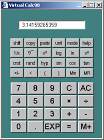
This is an online calculator which is designed to run directly in your browser, without the need to download software to your PC. Although downloading Calc98 gives you a much more powerful calculator, the online calculator is useful if you are not able or do not wish to download Calc98. The calculator uses Javascript, so you cannot run it if your browser has Javascript disabled, or in the unlikely case that your browser does not support Javascript.
jCalc FAQ
General Questions
Q: Why have a Javascript calculator?
A: For some users it is inconvenient or inappropriate to download an application.They may be using someone else's computer, using a "Cyber Cafe" or they may be forbidden to install software by company policy. In these cases you can still have some of the advantages of our calculator software by using the Javascript version. Other users may be unable to download our calculator softwarebecause their operating system or device does not support it. Examples are users of the Apple Macintoshor "thin client" devices such as WebTV. All of these support Javascript in their web browsers.
Q: Doesn't it take a long time to download an application in Javascript every time?
A: The Javascript calculator is actually quite small. This is partly because it is a limited implementation, but also because we have used a proprietary technology to compress the size of the Javascript application to a little over half its size. The size of the page containing the calculator is fairly average even for a static web page.
Q: Why download the full Calc98 software when I can just use this online calculator?
A: The Javascript calculator will never be able to support all of the features of Calc98. At present, only a very small proportion of the capabilities of Calc98 are available in this Javascript calculator.If you need a full powered calculator, and if you have a PC, you are probably better off downloading Calc98.
Q: Can I use the Javascript calculator without being connected to the Internet?
A: Yes, if you download copies of the necessary files. These are listed in the question on using the software on your own website. You can also store the files locally on your computer and run them from there.
A: You can either send us email. You can use either method if you just want to send us comments about jCalc98.
Q: Can I use this calculator as part of my website?
A: Yes, you can download a copy of the Javascript by right clicking on this link and selecting "Save as", and then putting a copy of the file on your web hosting server. Then copy the following javascript code and paste it into the web page where you want visitors to be able to run the calculator:
The purpose of the Javascript code is to ensure that the user gets a browser window that looks somewhat like a calculator, and to prevent multiple calculator windows popping up if they click the link more than once.The code is moderately complicated in order for it to work on the vast majority of browsers in use today. If you want to change the background colour of the calculator you can do it by replacing the line defining the colour with the following (for example):
At the place in your page where you want to start the calculator you need to add some HTML which you can copy and paste from here:
This will give you a clickable icon like this:  Calculator It is best to include the HTML as one long line as given, because breaking it up may give tricky formatting problems on some browsers.
You will also need the following image files:
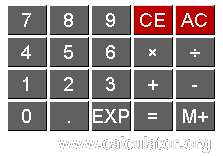 Main Keypad
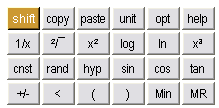 Function Keypad
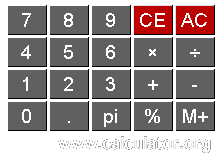 Main Keypad (shifted)
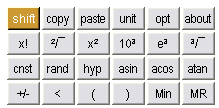 Function Keypad (shifted)
Calculator icon
Download these files also (by right-clicking on the image and choosing "Save picture as...") and place them in a directory called "images" on your server.
Q: Can I use the calculator to edit a value in an HTML form on my website?
A: Yes. If you want to edit a particular form value follow the instructions for obtaining the files and adding the Javascript. Then, wherever you have a form input element, add code as in this example HTML form:
In order for this to work you have to make sure that the name of the form and the name of the correct input field are both given as arguments to the popupcalc function.
If you click on one of the calculator icons, it should open up the calculator with the value of the adjacent field loaded. If the calculator is already open it should bring it to the foreground. As you use the calculator, the input field in the form is updated automatically.
A: The links are at the top of this page, or use this link to run jCalc98 in its own window. If you prefer to view jCalc98 in a normal browser window you can use this link.