Download our Free Calculator Software





Over a million PC users and PDA owners have already downloaded our popular calculator software Calc98. The current version (5.3) is available for free download. It runs on Microsoft Windows95/98/ME, WindowsNT, Windows2000, XP, Vista, Windows 7, Windows 8, Windows 10, and on PDA devices running Windows Mobile (Pocket PC). You can view the product documentation online.
Calc98 version 5.3 is free to use.
For more information about Calc98, see our Frequently Asked Questions page.
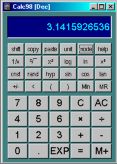
Downloading Calc98
First, choose the correct version below, depending on your computer and operating system. Follow the link to download the self-extracting zip file. When you have got the file, double click on it to extract the files. Further instructions and documentation are provided in the extracted files. On Windows Vista you may need to right click the file and choose "Run as administrator" to allow it to install the files to the default location. For more information about installing see the Frequently Asked Questions.
Desktop Windows
Most users will need the standard Windows version. The Unicode version is only needed if you use a non-Latin1 code page, and you are running WindowsNT, Windows2000, WindowsXP, Windows Vista or Windows 7. On Windows Vista and Windows 7/8/10 you may need to initially adjust the calculator border.
 Download Calc98 for Windows95/98/ME/NT/2000/XP/Vista/7/8/10
Download Calc98 for Windows95/98/ME/NT/2000/XP/Vista/7/8/10 Unicode
GNU/Linux, FreeBSD and Solaris
There is no special version for UNIX type operating systems, but it should run under Wine, the Windows compatibility layer for X and UNIX (see the screenshot). You will need to download the standard Windows version, above, and install Wine if you have not already done so.
Windows CE (e.g. Pocket PC)
Calc98 on an iPaq You will need to decide which version to download, depending on the processor used (please refer to our table of devices). Some very early WindowsCE devices run Windows CE 1, which is no longer supported. Most of these devices can be upgraded to Windows CE 2, for which you will need to contact the manufacturer of the device.
 Download Calc98 for WindowsCE 3, SH processor (e.g. HP Jornada)
Download Calc98 for Casio BE-300 Pocket Manager family
Units and Properties Database Update
 Download latest version of properties database